Posts

How To Flash Android 7.0 Nougat on Nexus Devices
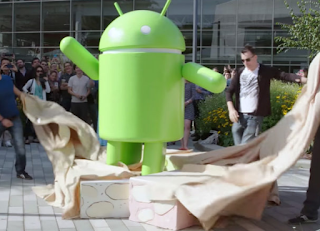
Image
With Android 7.0 Nougat, Google seems to be getting even faster at offering OTAs, with half our team already having the OTA downloaded and installed. Still, not everyone will probably get it that fast, and sometimes you don’t want to wait. Or perhaps there’s a reason you want a clean install (too much old bloat on your device, etc). In those situations, starting from scratch is certainly worth considering. If you’ve never done it before, there are a few hoops to go through, but nothing too difficult. Nougat is here, though getting it to all devices is a whole other story. For those that are familiar with flashing, there’s really nothing new about this process with Android 7.0. That said, if you’ve never unlocked the bootloader in your Nexus 6P or 5X, it is worth noting that you absolutely need the latest version of the Android SDK (which you should install anyhow) — as these devices only recognize the new command for unlocking the bootloader – fastboot flashing unlock...


Download Lava Factory Stock Firmware

Image
Download Lava Factory Stock Firmware. To download and learn how to use SP Flash Tools to un-brick your phone, click here and to download and learn how to create scatter file and ROM Backup using MTK Droid Tools click here In no particular order, download Lava Stock ROM Lava Iris 250 Android 4.2  Download

Download Spice Stock Firmware

Image
Download  Spice Stock Firmware. To download and learn how to use SP Flash Tools to un-brick your phone, click here and to download and learn how to create scatter file and ROM Backup using MTK Droid Tools click here In no particular order, download Spice smartphone firmware below. Spice Mi-285 Android 2.3 Download

Download All Nexus Factory Stock ROM

Image
Download all Nexus Stock Firmware ROM Nexus 4 Android 4.2.2 Download Nexus 4 Android 4.4 Download Nexus 4 Android 4.3 Download Nexus 4 Android 4.4.3 Download Nexus 4 Android 4.4.2 Download Nexus 4 Android 5 Download

How To Install adb Fastboot On Android Devices

Image
This tutorial explains how to install ADB, Fastboot and their drivers. Requirements Install Mediatek (MTK) drivers on the PC using the PdaNet method click here to download Download the ADB, Fastboot & Drivers Installer click here to download Run the Installer as Administrator For Do you want to install ADB and Fastboot? tap the Y key then press Enter For Install ADB system-wide? tap the Y key then press Enter Wait till its complete For Do you want to install device drivers, tap the Y key then press Enter In the installer Wizard that pops up, click Next Click Finish when done Go to My Computer / Local Disk ( C: ) , you should see a folder named adb To run ADB or Fastboot, open the ADB folder Hold down the SHIFT key on the keyboard While holding SHIFT, right-click on an empty space in the ADB folder Select Open command window here. This method is very simple please proceed and apply with caution!!

How To Unlock Moto X Play Bootloader

Image
This simple tutorial will teach you how to unlock Moto X Play bootloader. This device is the third generation Moto X smartphone which was launched by Motorola. The smartphone comes with amazing design and good hardware configuration. Moto X Play has a 5.5-inch display screen. The display which comes with this smartphone is a capacities touchscreen corning Gorilla glass 3 protection display. You will get resolution of 1080 X 1920 pixels with the display of the Moto X Play. The device comes with powerful hardware as you get a 1.7 GHz Octa core processor and 2 GB RAM. One of the best things about the Moto X Play is the camera. The smartphone is powered with a 21 Mega pixel camera which you can use to capture amazing shots. If you want to unlock bootloader of Moto X Play you are at the right place. Today in this guide we are going to tell you how to unlock bootloader of Moto X Play. Requirements To learn how to root this device, click here 1) Your Moto X Play smartphone sh...

Download BLU Stock ROM

Image
Download BLU Stock ROM BLU A010L-V10 BLU Advance A270a-V07 BLU T174-V07 BLU Star 4.0 S410A BLU Dash 5.0 D410i-V28 BLU Dash 5.0 D410a-V14 BLU Studio 6.0 D651-V03 BLU Studio 6.0 D650 V31 BLU Dash JR D140-V14 BLU Dash JR 4.0 D142K-V16 BLU Dash JR Social D140S-V16 BLU Dash JR TV D140T-V20 BLU Disco Pro TV Q360T-V1 BLU Dash D410a-V14 BLU Dash Music II D330-V20 To learn how to flash this ROM Using SP Flash Tools click here Note: All Instructions, flash tools, drivers and ROM files are contained in the Zip folder. Goodluck!!!