How To Make Stock ROM Using MTKDroid Tools
Have you ever bricked your MediaTek Android phone before and just need to get your hands on a stock ROM for your device type? If yes, then this guide will teach you on how to make stock ROM using MTKDroid tools for your device if you have a friend that has the same device.
Requirements
- Download MTK Droid Root & Tools here
- Windows PC
- Rooted Android device. (you can root with Kingo Root Download and Learn to use here)
Procedures
1. First thing is to root your MediaTek Android device. Click here to see how
2. Second step would be to download and install the MTK Droid tools
3. Now connect your rooted phone to the computer and let it be detected by the MTK tools
4. Note the colour at the bottom of the droid tool. It has to be green. if its not, click on Root located at the bottom right of the MTK page.
5. It will prompt you, OK it and let it gain su access.
6. Click on root, backup and recovery tab and click on the big Backup button

7. Wait for it to begin the backup process which can take up to 10 - 15 minutes depending on your computer speed.

8. After backup is created, it will ask you if you want to pack it to a zipped format. Click yes
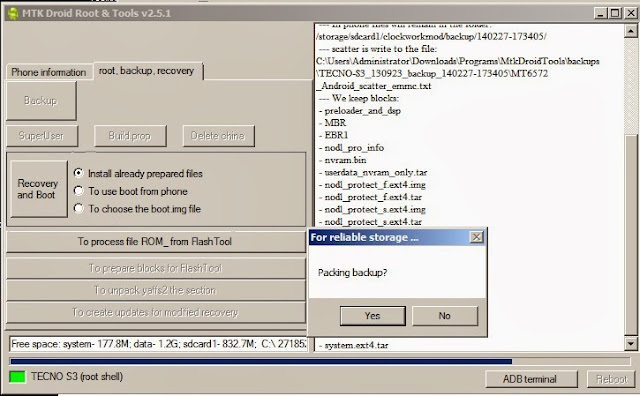
9. Wait a while for the packing to finish.
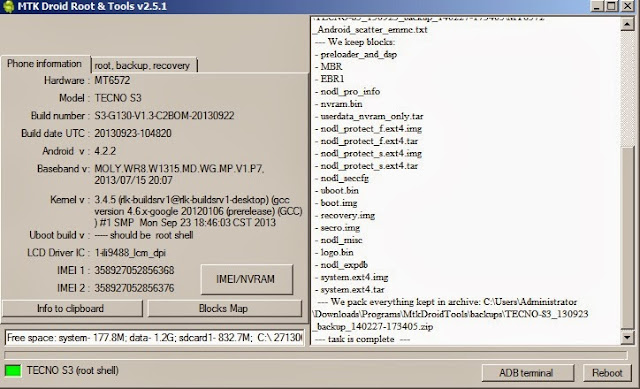
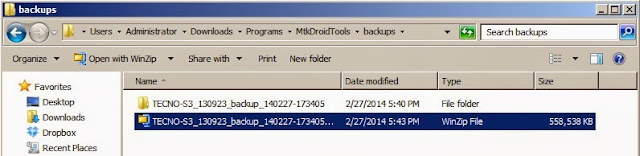
10. When its finish, you can navigate to the folder where the backup is stored for use at anytime you so wish.


Comments
Post a Comment